
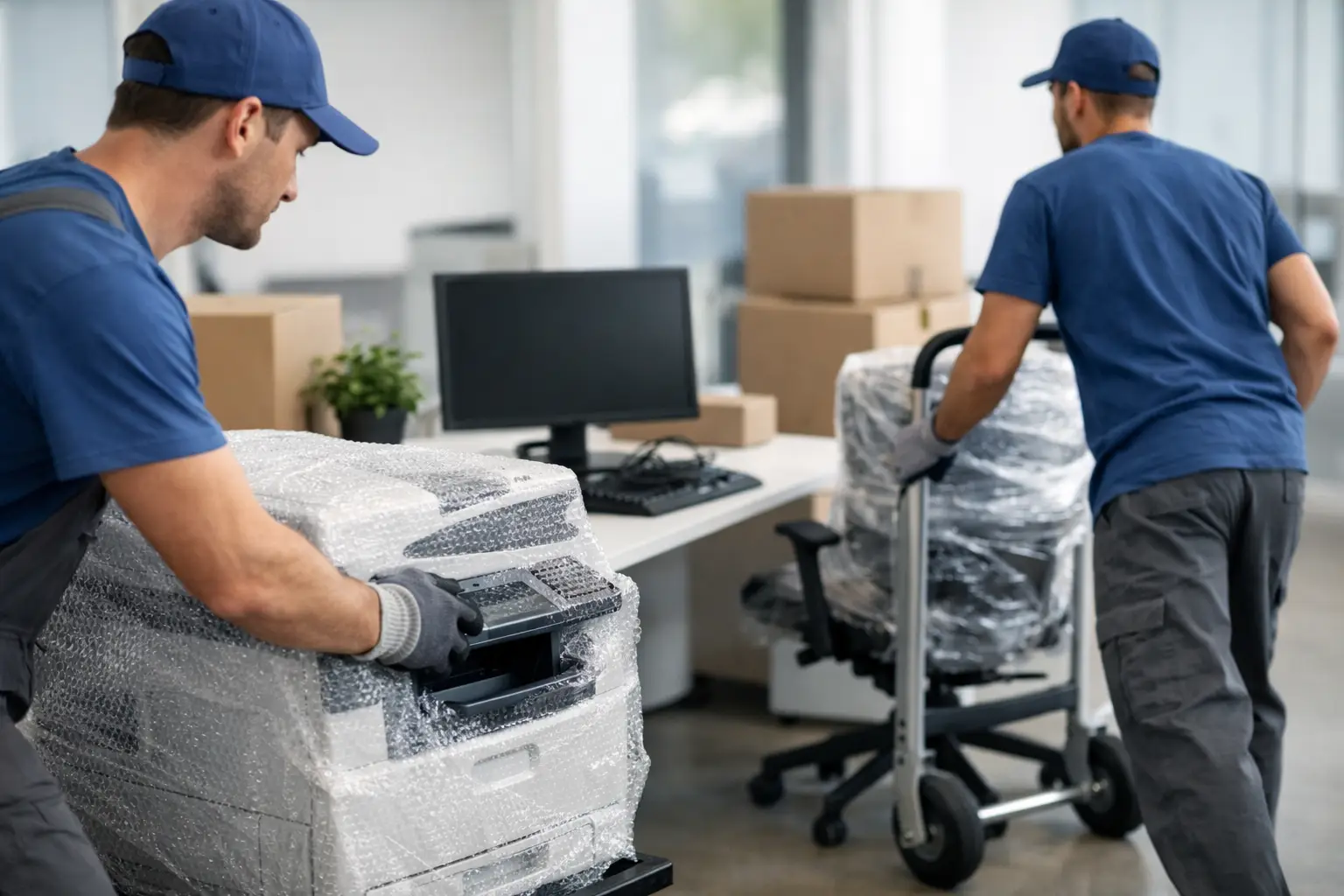
A poorly planned office move can damage more than desks and monitors. One dropped server, one unsecured photocopier or one missing cable can interrupt trading, delay staff and create avoidable costs. If you are working out how to move office equipment safely, the key is to treat the move as an operational task rather than simply loading items into a van.
Office equipment varies in size, weight and sensitivity, so the right approach depends on what you are moving. A bank of screens needs different handling from a printer room, and IT hardware needs different protection from filing cabinets. What matters most is reducing risk at each stage – before lifting, during packing, in transit and when setting up again.
How to move office equipment safely starts with a proper plan
The safest office moves are rarely the fastest at the beginning. Time spent planning usually saves far more time on moving day because it cuts confusion, double-handling and last-minute decisions.
Start by listing what is being moved, where it is going and whether anything needs specialist handling. Computers, monitors, servers, printers, phone systems, shredders, desks and storage units should all be counted and assigned to a location in the new office. If certain teams need to be up and running first, note that early. That will shape the loading order and unloading priority.
It also helps to assess access at both sites. Narrow staircases, limited parking, shared entrances and lifts with weight restrictions all affect how safely equipment can be moved. A heavy multifunction printer may be straightforward on the ground floor but far more complicated in a building with tight corridors and no service lift. This is where experience matters, because the safest route is not always the shortest.
Prepare equipment before packing
Before anything is lifted, disconnect and prepare each item properly. This is especially important for IT equipment, where damage often happens before the journey even begins.
Shut down computers correctly, back up critical business data and photograph cable setups if reconnecting could be complicated later. Cables, chargers, keyboards and accessories should be labelled and packed with their matching equipment where practical. If everything is bundled into a single crate without labels, set-up at the new premises can take much longer than expected.
Printers and photocopiers need a little more care. Remove loose paper, secure moving parts and check manufacturer guidance if the item contains toner, ink systems or glass scanning surfaces. Some larger machines may need parts locked in place before transport. If they are not, internal components can shift and cause expensive faults.
Furniture should be emptied where possible. Drawers packed with files or stationery add weight and make units harder to control when manoeuvring through doorways. For larger desks or modular workstations, careful disassembly can make transport safer, but only if fixings are bagged, labelled and kept together. Taking too much apart without a clear system often creates delays at the other end.
Use the right packing materials for the job
If you want to know how to move office equipment safely, packing materials are not a minor detail. They are part of the protection system.
Monitors, screens and computer towers should be wrapped to protect corners and surfaces from knocks. Strong double-walled boxes, bubble wrap, padded blankets and secure tape all help prevent movement in transit. Cables and smaller peripherals should go into labelled cartons rather than being left loose. That keeps workstations together and speeds up reinstallation.
For heavier items, standard domestic packing boxes are rarely enough. Crates, reinforced cartons, furniture covers and protective wraps are more suitable because they can cope with weight and repeated handling. Filing cabinets may not need boxing, but drawers should be secured so they cannot slide open while being moved.
There is a balance to strike here. Overpacking can add unnecessary time and waste, but underpacking leaves equipment exposed. The goal is firm protection without making items awkward or unsafe to lift.
Safe lifting matters as much as safe driving
A surprising number of office move problems happen before the vehicle is even loaded. Staff often try to shift awkward items quickly, especially when there is pressure to keep downtime short. That is when strains, dropped equipment and damaged flooring tend to happen.
Heavy or bulky items should be moved with the right handling equipment, such as dollies, trolleys, skates or straps. Team lifting may be appropriate for some loads, but only when the item can be gripped properly and the route is clear. If something is too heavy, too unstable or too valuable to move confidently by hand, it should not be forced.
Lifting technique also matters. Items should be kept close to the body, lifted with controlled movement and never twisted through tight spaces. Doors should be propped open where safe to do so, trip hazards removed and routes checked before the first item is moved. These practical details sound simple, but they make a real difference on a busy moving day.
For larger businesses, it is often wise to keep employees out of the physical moving process altogether and let trained movers handle the heavier work. It reduces the chance of injury and usually keeps the move more organised.
Loading and transport need just as much care
Once equipment reaches the vehicle, it still needs to be protected properly. Safe transport depends on weight distribution, load restraint and using a vehicle suited to the job.
Heavy items should be loaded low and secured to prevent shifting in transit. Fragile electronics should not be stacked under general office contents, and equipment with glass components should be positioned where it cannot absorb pressure from surrounding items. Blankets, straps and load-securing systems are essential, especially on longer journeys or roads with frequent stopping and turning.
Vehicle choice matters too. A purpose-built removals vehicle offers more control than trying to manage an office move with smaller hired vans and several separate trips. Fewer journeys usually mean less handling, and less handling often means less chance of damage.
Weather is another factor that should not be ignored. Rain during loading can affect electronics, paperwork and soft furnishings surprisingly quickly. Covered loading, protective wrapping and efficient coordination help keep exposure to a minimum.
High-risk items need a different level of attention
Some office equipment carries greater operational or financial risk. Servers, specialist machinery, telecoms systems and large print devices often need a more controlled process than standard office furniture.
With server equipment, business continuity is usually the main issue. Even if the hardware survives the move physically, poor shutdown procedures or poor reconnection planning can lead to longer outages. In some cases, a staged migration is safer than moving everything in one go. It depends on how critical your systems are and how quickly your team needs access after arrival.
Large copiers and production printers can be equally awkward. They are heavy, top-weighted and vulnerable to internal movement. Specialist handling equipment may be needed, especially where stairs, thresholds or uneven access are involved. What looks manageable in the office can become far less straightforward once it reaches a narrow entrance or loading bay.
How to move office equipment safely without extending downtime
Safety and speed are often treated as opposites, but a well-run office move should achieve both. The trick is sequencing.
Pack non-essential equipment first and leave live workstations until the latest practical point. Label each item by department, user or room so unloading follows the setup plan. If your business cannot stop completely, consider a phased move over evenings or weekends. That approach may cost more in coordination, but for some businesses it is worth it to protect continuity.
It is also sensible to assign one person internally to make decisions on the day. When movers, staff and building management all need answers at once, delays happen if nobody has authority to confirm priorities, access or room layouts.
For many firms, professional support is the safest route because it combines packing knowledge, trained handling and suitable vehicles in one service. Companies such as Phoenix Rising Removals and Storage can also help reduce the pressure around timing, access issues and careful transport, which is often where office moves become most difficult.
Reinstallation should be part of the moving plan
A safe move does not end when the last item is unloaded. Equipment should be checked as it comes off the vehicle and placed according to the pre-agreed layout. That avoids unnecessary shifting later, which is one of the easiest ways to damage floors, walls and furniture after arrival.
Before reconnecting IT equipment, check for visible damage, confirm power points are suitable and make sure cables have stayed with the correct devices. Rushing this stage can create confusion that lingers for days. A little control at set-up saves a lot of disruption once staff are back at their desks.
The best office moves are not the ones where everything simply arrives. They are the ones where your team can get back to work with minimal disruption, your equipment stays protected and no one is taking unnecessary risks just to stay on schedule. If you plan carefully, use the right materials and give heavier or more sensitive items the handling they need, moving day becomes far more manageable.